7 Fused Deposition Modelling Mistakes to Fix
Fused deposition modelling 3D printing is a material-extrusion process that builds a part from heated filament paths.
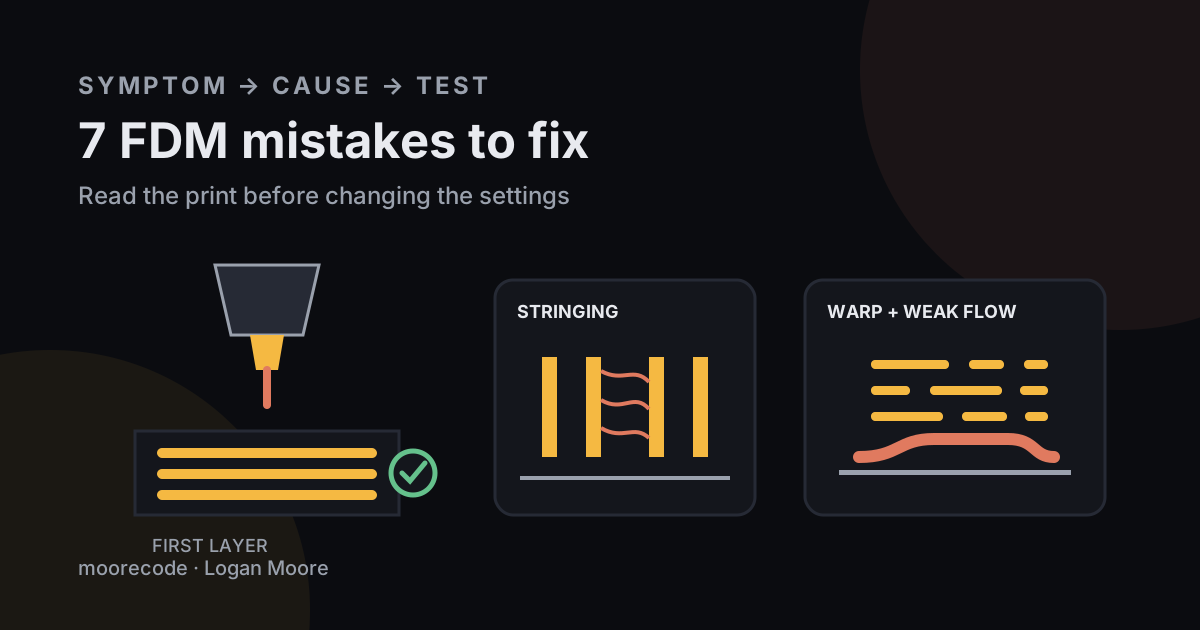
The most expensive fused deposition modelling 3D printing mistakes are a bad first layer, an unverified slicer profile, excessive flow demand, and changing several settings at once. Fix them by reading the visible symptom, returning to a known material profile, and testing one variable on a small part. The seven checks below cover the failures that waste the most time before a print ever becomes useful.
If the process itself is unfamiliar, start with my FDM process guide. Here, I am assuming the printer can move, heat, and extrude so I can focus on setup and diagnosis.
Which FDM printing symptom should be checked first?
An FDM printing symptom should be matched to its smallest likely group of causes before any setting is changed. A lifted corner points toward the first layer and cooling; a horizontal step points toward motion; thin walls point toward material flow.
| Visible symptom | Check first | Avoid changing yet |
|---|---|---|
| Lines do not join on layer one | Nozzle distance and bed condition | Retraction |
| Corners curl upward | Adhesion, drafts, material profile | Extruder steps |
| Hair between separated features | Filament dryness and temperature | Bed level |
| Walls look thin or incomplete | Nozzle, feed path, flow demand | Support angle |
| Whole layer shifts sideways | Belts, pulleys, collision, acceleration | Nozzle temperature |
This symptom-first order keeps a mechanical fault from being buried under slicer tweaks. I use the same narrow-debugging habit in the maker work on my hobbies page: reproduce the fault, change one cause, then inspect the result.
Mistake 1: Why does tuning fail on a dirty first layer?
First-layer tuning fails when grease, dust, residue, or the wrong release treatment is mistaken for a calibration problem. Clean the build surface by its maker's instructions before lowering the nozzle or adding more heat.
Prusa Research calls a poor first layer “by far the most common 3D printing problem” in its first-layer troubleshooting guide. The same guide recommends 90% isopropyl alcohol for several Prusa sheet types, while warning that material and surface combinations differ. That specificity matters: a method that is right for smooth PEI can damage or over-bond another surface.
Watch the first continuous patch. Separate round strands mean the nozzle may be high. A rough, translucent scrape can mean it is too low. Joined lines with a smooth top are the useful baseline. Do not compensate for contamination by driving the nozzle into the plate.
Mistake 2: Why is the wrong slicer profile so costly?
The wrong slicer profile is costly because it changes temperatures, flow, cooling, retraction, acceleration, and machine limits together. Confirm the printer, nozzle diameter, filament, build plate, and layer preset before modifying advanced values.
A 0.6 mm nozzle running a file prepared for 0.4 mm hardware can create a problem that no bed adjustment will solve. PETG printed with a PLA profile can do the same, as can an old machine file sent after a nozzle swap. Save a known-good project file with each finished part so the setup is reproducible next month.
Material choice has its own constraints. My filament comparison covers the practical differences among PLA, PETG, and TPU without treating one temperature as universal.
Mistake 3: Why does changing five settings hide the cause?
Changing five settings hides the cause because an improved print no longer reveals which adjustment worked. Run a short test, change one variable, label the result, and keep the winning value before moving to the next hypothesis.
For stringing, begin with dry filament, a clean nozzle, and the manufacturer profile. Prusa Research says high temperature or unsuitable retraction commonly causes strings, and suggests lowering nozzle temperature in 5 to 10°C steps when appropriate. That is a bounded test. Simultaneously changing temperature, retraction length, travel speed, flow, and cooling produces an attractive mystery at best.
Mistake 4: How can speed exceed the hot end's flow?
Print speed can exceed a hot end's flow when layer height, line width, and movement speed demand more molten plastic per second than the system can supply. The result looks like a clog or weak filament even though the real problem is arithmetic.
Take a 0.45 mm extrusion width, 0.20 mm layer height, and 150 mm/s print move. The requested volumetric flow is 0.45 × 0.20 × 150 = 13.5 mm³/s. Raising speed to 220 mm/s asks for 19.8 mm³/s, a 46.7% increase with no change in the visible layer dimensions. If the printer's tested material profile cannot sustain that flow, reduce speed, layer height, or line width. Use the manufacturer's limit for the exact hot end and filament.
Mistake 5: Why do strong-looking FDM parts snap?
Strong-looking FDM parts snap when the model is oriented so the main load pulls layers apart, or when too few walls carry the load. Rotate the part so deposited paths follow the force where possible, then reinforce the shell and critical geometry.
More infill does not repair every weak neck. A bracket loaded across layer boundaries can fail at the corner while its internal grid remains untouched. Add a radius, increase perimeters, move the seam away from the highest stress, and print a representative coupon before trusting a safety-critical use. FDM remains direction-dependent even when the surface looks solid.
Mistake 6: Why do supports create a worse surface?
Supports create a worse surface when orientation places them against the face that needs accuracy or a clean finish. Rotate the model, split it at a sensible joint, or redesign the overhang before filling the build with support material.
Inspect the slicer's layer preview instead of relying on the shaded model. Look for isolated first paths, long bridges, tiny support contacts, and features thinner than the planned extrusion. A ten-second preview often catches a floating hole or missing wall before a ten-hour print begins.
Mistake 7: Why does printer placement matter?
Printer placement matters because fused filament printing heats polymers and creates moving, hot equipment that should not share uncontrolled air and access with sleeping, eating, or occupied work areas. Use ventilation, keep people away from the process, and follow the printer and filament safety instructions.
The National Institute for Occupational Safety and Health says filament printers can release ultrafine particles and gases. Its filament-printing safety checklist names HEPA-filtered local exhaust, ventilated enclosures, and reducing time near operating printers among the controls to consider. A camera can help with remote observation, but it does not replace fire precautions or the manufacturer's supervision rules.
What order should an FDM mistake be fixed in?
An FDM mistake should be fixed from basic state to specific symptom: hardware, cleanliness, profile, first layer, material condition, flow, then fine tuning. Stop when the defect disappears and document the working setup.
- Inspect the machine for loose, damaged, or obstructed parts.
- Load the correct file and verify printer, nozzle, and filament profiles.
- Prepare the build surface and confirm the first layer.
- Check filament storage, feed, and nozzle condition.
- Calculate the requested volumetric flow for fast profiles.
- Change one symptom-linked value and print a small test.
Frequently asked questions
What is the most common FDM printing mistake?
Poor first-layer preparation is the most common FDM mistake. Check the build surface, nozzle distance, bed level, material profile, and first-layer toolpath before tuning unrelated settings.
Why is an FDM print stringing?
Stringing can come from excessive nozzle temperature, unsuitable retraction, wet filament, or residue on the nozzle. Begin with the printer maker's profile and change one cause at a time.
Does faster FDM printing weaken a part?
Faster printing can cause under-extrusion or weak bonding when the requested volumetric flow exceeds the hot end's capability. Speed also raises acceleration and cooling demands.
Should an FDM printer run in a bedroom or office?
Use the printer in a ventilated, controlled space and follow the manufacturer and material safety instructions. NIOSH recommends ventilation and reducing time spent near operating printers.