When Resin 3D Printing Beats FDM
Resin 3D printing is a process that uses controlled light to cure liquid photopolymer into solid layers.
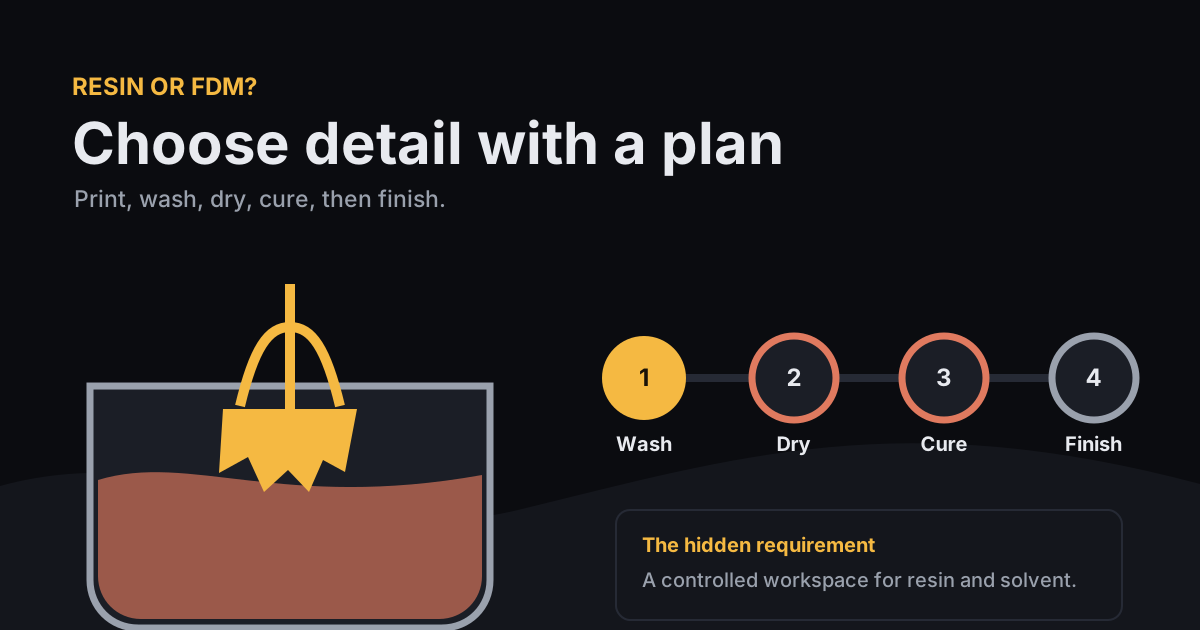
Choose resin 3D printing over FDM when a small part needs fine text, crisp texture, or a smooth visible surface straight from the printer. Choose FDM when the part is large, inexpensive, repeatedly revised, or easier to make from filament without chemical cleanup. A resin printer also commits you to ventilation, skin protection, washing, drying, curing, and contaminated-waste handling.
What is resin 3D printing?
Resin 3D printing is vat photopolymerization: a light source selectively hardens liquid resin into one layer, the build platform moves, and the machine repeats the exposure. Consumer machines often use a masked LCD, while stereolithography, or SLA, traditionally describes a laser-based system.
The process can resolve small surface features because it does not have to trace them with a round extrusion nozzle. Formlabs' technology comparison lists a 0.1 mm minimum embossed detail for its SLA process, compared with a representative 0.6 mm width for FDM. Machine, resin, orientation, exposure, and geometry still control the result.
When does resin beat FDM?
Resin beats FDM when the decision is controlled by fine detail, surface finish, or several small parts that fit on one build plate. Miniatures, dental models, jewelry masters, textured knobs, small presentation prototypes, and castable patterns are common examples.
| Your requirement | Better starting point | Reason |
|---|---|---|
| Readable tiny lettering or skin texture | Resin | Finer feature reproduction and smoother faces |
| Large enclosure or organizer | FDM | Lower-cost feedstock and simpler workflow |
| Eight small figures of similar height | Resin | A full layer is exposed at once on masked-LCD machines |
| Fast fit-check with three revisions | FDM | Easy material changes and little post-processing |
| Flexible bumper or grip | FDM with TPU | Accessible flexible filament and direct handling |
If the process names are still fuzzy, my FDM explainer compares fused filament printing with SLA and SLS. For a filament job, the PLA, PETG, and TPU guide narrows the material choice.
When does FDM beat resin?
FDM beats resin when size, cost, material handling, or quick iteration matters more than tiny detail. Filament stays on a spool, finished PLA or PETG parts usually come off the bed ready for support cleanup, and infill can reduce material use inside a large shell.
Formlabs' own SLA versus FDM guide puts common filament around $20-$50 per kilogram and says SLA resin can start around $50 per kilogram and rise from there. Prices change, but the structural point holds: a large hollow FDM prototype can use sparse infill, while a resin part needs deliberate hollowing and drain planning to avoid filling the volume.
FDM is also easier to pause, inspect, and reprint after a dimensional change. That matters in the iterative building I write about on my hobbies page. My second version often teaches me more than the first.
What safety steps do resin users underestimate?
Resin users often underestimate exposure during pouring, part removal, washing, curing, sanding, and spill cleanup. The printer's cover is one control, but it does not turn uncured resin or solvent into ordinary household material.
The CDC's National Institute for Occupational Safety and Health says, “uncured resin contains acrylates and other chemicals that can cause asthma or dermatitis.” Its January 2025 vat photopolymerization safety guide recommends ventilation, suitable gloves and eye protection, sealed wash containers, and prompt cleanup of drips and splashes. NIOSH also says curing with ultraviolet light and heat can generate particles and gases that should not be inhaled.
- Read both safety data sheets. Check the resin and the wash solvent, then select gloves and storage from those documents.
- Control air at the source. Use effective exhaust or filtration suited to the printer and room instead of relying on odor.
- Separate clean and dirty tools. Keep dedicated scrapers, cutters, funnels, trays, and wipes in the resin area.
- Plan spills before pouring. Have disposable absorbent material and a lidded waste container ready.
- Keep contaminated liquid out of drains. “Water-washable” resin still leaves resin in the wash water.
What post-processing does a resin print require?
A resin print usually requires removal, washing, full drying, post-curing, support removal, and optional sanding. The order and settings depend on the exact resin, printer, wash system, cure unit, and intended use.
- Let excess resin drain in the machine if the workflow permits it.
- Move the build platform or part to a contained wash station.
- Wash for the resin maker's specified time and solvent concentration.
- Let solvent evaporate completely in the controlled work area.
- Post-cure for the specified time, temperature, and light system.
- Clip supports with eye protection, then finish support marks as needed.
Formlabs' post-processing guidance says washing removes excess liquid resin and post-curing is often needed for optimal mechanical properties. Its support documentation also recommends cutting supports with flush cutters rather than tearing them from critical surfaces.
How much time comes after a resin print finishes?
A documented Tough 2000 Resin V2 workflow adds at least 37 minutes before support cleanup: 15 minutes of washing, at least 10 minutes of air drying, and 12 minutes of curing. That sum comes from Formlabs' current wash guidance and the material data for a Form Cure V2 at 70°C.
| Post-print step | Published setting | Running total |
|---|---|---|
| Wash Tough 2000 Resin V2 | 15 minutes | 15 minutes |
| Air dry for best surface finish | At least 10 minutes | 25 minutes |
| Post-cure in Form Cure V2 | 12 minutes at 70°C | 37 minutes |
This worked example applies only to one named material and set of Formlabs equipment. Other materials call for different wash cycles, dry times, cure temperatures, or no standard post-cure at all. Setup, draining, support removal, tool cleaning, and waste handling add more hands-on time.
How do you choose between resin and FDM?
You should choose resin only after the part's detail advantage outweighs its workspace and cleanup cost. Run this checklist before buying a machine or slicing the model:
- Does the part contain detail your available FDM nozzle cannot reproduce?
- Will a smoother surface save enough sanding or finishing work to matter?
- Do you have a controlled, ventilated area away from food, children, and pets?
- Can you store resin and solvent and dispose of contaminated waste correctly?
- Have you budgeted for gloves, wash containers, cure equipment, filters, and replacement solvent?
If any workspace answer is no, send the detailed part to a printing service or redesign it for FDM. My about page explains the maker-and-developer context behind these guides. The practical rule here is narrower: budget for the whole workflow before buying the printer.
Frequently asked questions
Is resin 3D printing better than FDM?
Resin is better for small detail, smooth surfaces, and compact batches of similarly tall parts. FDM is better for many larger functional parts, lower material cost, and simpler cleanup.
Do resin prints need to be washed and cured?
Most desktop photopolymer resin prints need washing to remove liquid resin and post-curing to reach the material's intended properties. Follow the resin maker's current instructions for the exact solvent, time, and temperature.
Can I touch uncured 3D printer resin?
Avoid skin contact with uncured resin. Use ventilation and gloves selected for the specific resin and wash solvent, following the safety data sheets and printer maker's instructions.
Is water-washable resin safe to pour down a drain?
Water-washable describes the cleaning method, not drain-safe disposal. Keep resin-contaminated liquid out of drains and follow the resin maker's safety data sheet and local disposal rules.