High-Speed 3D Printers: Compare the Numbers That Matter
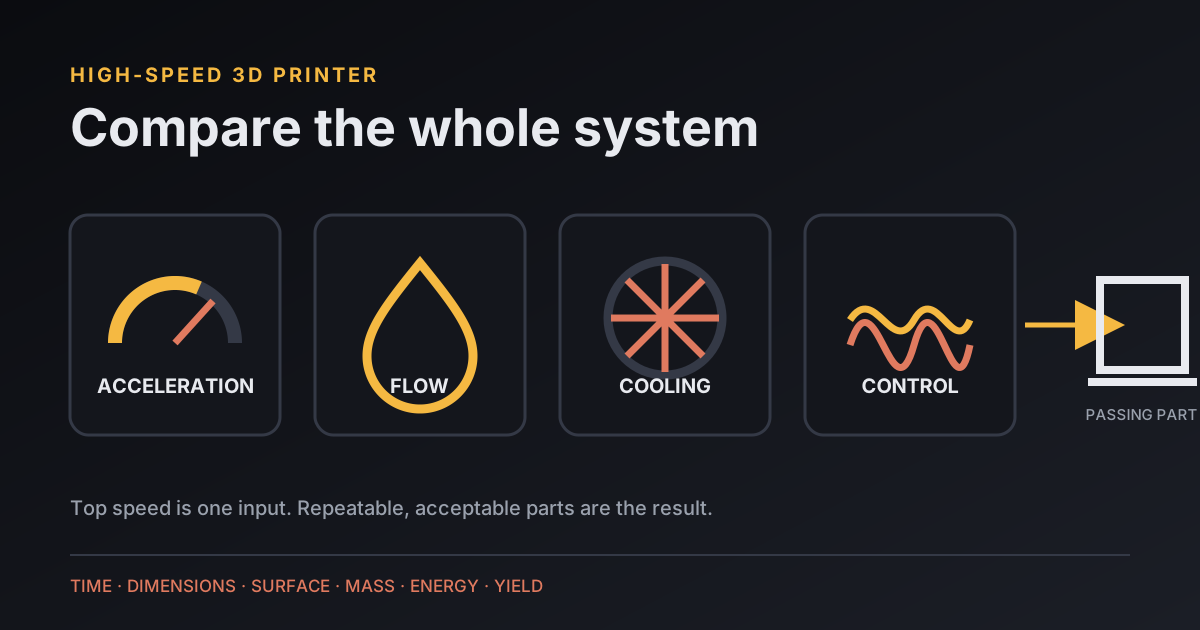
A high-speed 3D printer is a machine that finishes a defined part faster while holding the dimensions, surface quality, and strength that job requires. Compare total print time, acceleration, volumetric flow, cooling, resonance control, and repeatability under the same slicer conditions. A large maximum millimeters-per-second figure alone cannot predict real output.
Which numbers matter in a high-speed 3D printer comparison?
A high-speed 3D printer comparison needs motion, extrusion, and outcome numbers because the slowest limit controls each section of the toolpath.
| Number | What it tells you | What it misses |
|---|---|---|
| Top speed | Commanded velocity under stated conditions | Time spent accelerating and slowing |
| Acceleration | How quickly the toolhead changes velocity | Ringing, smoothing, motor limits |
| Volumetric flow | Plastic melted per second | Cooling and material-specific quality |
| Benchmark time | End-to-end result for one sliced job | Different profiles can make it unfair |
| Repeat yield | How many comparable parts pass | Long-term maintenance and wear |
Why does maximum speed overstate real print performance?
Maximum speed overstates real print performance when a model has short segments, corners, small perimeters, or flow-limited extrusion. The toolhead must accelerate toward the target, slow for direction changes, and stay within the hotend's ability to melt plastic.
Creality publishes 600 mm/s maximum speed, 20,000 mm/s² acceleration, and 32 mm³/s maximum hotend flow for the K1. Its footnote says the 600 mm/s result was reached in Surface Mode at 0.1 mm layer height, and it lists 300 mm/s as typical speed. These are useful manufacturer specifications for that printer; they are not an independent guarantee for another model, filament, nozzle, or quality target.
I copy the footnotes into the comparison table. A speed attached to travel, sparse infill, or a special surface test cannot stand in for every wall. If one maker discloses typical speed and another supplies only a peak, the missing value stays unknown.
How do acceleration and model geometry change print time?
Acceleration and model geometry change print time by deciding how often the toolhead reaches its commanded speed. A long straight line gives the machine room to accelerate; a small gear with constant direction changes may spend most of its time below the headline velocity.
Klipper's official resonance guide says its example's gap begins widening at 3,500 mm/s² and selects 3,000 mm/s² to avoid excessive smoothing. The guide tells users to choose the lower acceleration allowed by ringing and smoothing tests. Those numbers describe that example print, not a safe default for another machine.
Klipper also says input shaping by itself has “pretty much no impact on the print times”; the configured maximum acceleration does. Input shaping can make a higher tested limit usable, but the calibration result and visible detail set that limit. This is one reason a fast printer needs a rigid, correctly assembled motion system instead of only faster firmware.
How does volumetric flow cap a high-speed printer?
Volumetric flow caps a high-speed printer when the requested line volume per second exceeds what the hotend can melt and push consistently. The slicer combines line width, layer height, and linear speed to produce that flow demand.
A larger nozzle or thicker layer moves more plastic for every millimeter of travel, so the same hotend flow limit produces a lower linear speed. Material also matters: a flow test performed with one filament and temperature does not establish the same limit for PETG, filled material, or another supplier's PLA. The MooreCode filament comparison covers the practical material differences that a single speed figure omits.
Keep the volumetric cap visible in the slicer profile. If a vendor supplies a high-speed profile, inspect nozzle size, line width, layer height, temperature, acceleration, cooling, walls, and infill before comparing its estimated time with your normal profile.
What should a fair high-speed printer test hold constant?
A fair high-speed printer test should hold the model, material family, dry condition, nozzle diameter, layer height, line width, wall count, top and bottom layers, infill, supports, and acceptance checks constant. Record every machine-specific change that remains necessary.
- Choose a useful part with long moves, corners, small features, bridges, and a measurable fit.
- Slice from each printer's current supported profile, then disclose the differences.
- Time from the same event, such as pressing print through a removable cooled part.
- Weigh the part and measure the named dimensions with the same instruments.
- Photograph ringing, seams, corners, bridges, and under-extrusion in the same light.
- Repeat the job enough times to expose an unreliable fast setting.
The prototype test-plan guide separates visual, fit, functional, and pilot evidence. Use the stage that matches the reason you need speed; a quick decorative draft and a quick loaded bracket have different pass criteria.
How should energy be included in a speed comparison?
Energy should be measured for the complete job because a faster print may draw a different average wattage while it runs. MooreCode's tracked calculator example uses 2 parts at 4 hours each and 120 W average power, so its source-backed batch workload is 2 × 4 × 120 = 960 watt-hours, or 0.96 kWh after dividing by 1,000.
| Example input | Value | Meaning |
|---|---|---|
| Quantity | 2 parts | Fictional calculator assumption |
| Average power | 120 W | Fictional calculator assumption |
| Print time | 4 hours per part | Fictional calculator assumption |
| Batch energy | 960 Wh | Product of the tracked inputs |
This multiplication supports the measurement method, not a claim about a specific high-speed printer. Real power varies as heaters and motors cycle. Use a measured average and the complete job time in the MooreCode print cost calculator; do not assume that cutting time by a percentage cuts energy by the same percentage.
When is a resin printer the faster choice?
A resin printer can be the faster choice when a build plate holds many short, detailed parts because each layer exposes across the plate rather than tracing every perimeter with a nozzle. Wash, dry, support removal, curing, ventilation, PPE, and waste handling remain part of the elapsed workflow.
For one large solid object, a filament machine may finish sooner or require less post-processing. Compare the full batch and acceptance criteria instead of machine motion alone. The resin-versus-FDM guide maps detail, batch layout, handling, and safety before speed becomes the deciding number.
How do you choose a high-speed 3D printer?
Choose a high-speed 3D printer by asking for the shortest repeatable time on your representative parts at an acceptable quality level. Shortlist machines whose build volume, materials, nozzle options, profiles, service access, and workspace needs fit the job, then compare disclosed acceleration and flow limits.
Download the sample profiles and open them before buying. Check replacement-part availability, firmware support, calibration procedures, noise information, and the documented benchmark conditions. If you cannot reproduce the claim or define a passing part, the speed figure belongs in the marketing column.
What do people ask about high-speed 3D printers?
Buyers usually ask what qualifies as high speed, which specification matters, what input shaping changes, and how to run a fair benchmark.
What makes a 3D printer high speed?
A high-speed 3D printer combines enough acceleration to reach useful speeds on real geometry, enough hotend flow and cooling to sustain extrusion, and motion control that preserves acceptable quality.
Is maximum print speed the most important specification?
No. Maximum print speed may apply only under narrow test conditions. Compare acceleration, volumetric flow, the supplied profile, cooling, benchmark time, and resulting part quality.
Does input shaping make every print faster?
Input shaping reduces resonance artifacts so a tuned machine may use higher acceleration, but Klipper states that input shaping alone has little effect on print time. The chosen acceleration limit changes time.
How should two fast 3D printers be benchmarked?
Slice the same model with disclosed material, nozzle, layer height, line width, walls, infill, acceleration, and flow limits. Compare total time, mass, dimensions, defects, noise, energy, and repeat results.